MeePasswords 2.0 for BlackBerry (BB10) and Desktop (Linux, Windows)

MeePasswords is a simple tool to securely store short snippets of sensible or confidential data such as passwords and the like. The new MeePasswords version 2.0 is now available for BlackBerry (BB10) Z10, Q10, and Q5 and desktop (Linux, Windows). The Nokia N9 version is in preparation.

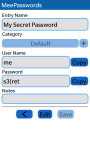
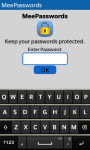
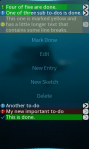
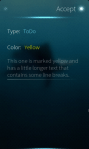
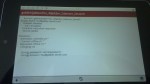
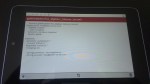
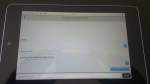
Below are some screenshots of the BlackBerry version.

The most important new feature in version 2.0 is synchronization support. With the synchronization support it is possible to have share password lists, e.g., on smartphone and desktop. Version 2.0 also comes with a new user interface and is the first version that is available for BB10 and desktop (Linux, Windows). Additionally, the encryption with which the stored data is protected was improved.

Main features of MeePasswords 2.0 are:

  • AES256CBC encryption
  • Synchronization between Different Installations, e.g., Smartphone and Desktop (Requires an e-mail account with IMAP support.)
  • Simple and Easy to Use User Interface
  • Available for Smartphones (BlackBerry (BB10) Z10, Q10, and Q5, Nokia N9, and Nemomobile), Tablets (Plasma Active), and Desktops (Linux, Windows)
  • Changeable master password
  • Possibility to conveniently copy stored data
  • Import and export of KeePassX XML files (Desktop Version)
  • Automatic logout when screen is locked
  • Support for Touch Screens and “Normal” Mouse/Keyboard Control
  • Intuitive Swipe Gestures in all Versions
  • Keyboard Shortcuts for Desktop Version

The BlackBerry (BB10) version can be installed via BlackBerry Appworld. Download links for the desktop version and more information like screenshots etc. can be found on the MeePasswords home page.

Posted in Announcements, MeePasswords, My Applications | Tagged , , , , , | Leave a comment

Q To-Do for BlackBerry BB10, Desktop (Linux, Windows), and Nokia N9

Q To-Do is an easy to use to-do list organizer. The latest version of Q To-Do is now available for BlackBerry (BB10) Z10, Q10, and Q5, desktops (Linux, Windows), and Nokia N9.

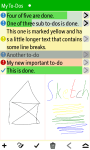
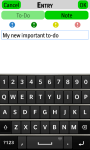
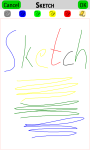
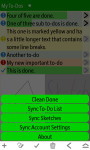
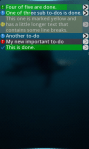
Below are some screenshots of the BlackBerry version.
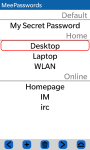
Amongst other features, Q To-Do allows to synchronize the stored data between different installations. This way it is possible to synchronize to-do lists between, e.g., smartphone and desktop. Please note: the sync feature requires an e-mail account with IMAP support.

Main features of Q To-Do are:

  • Simple and Easy to Use User Interface
  • Available for Smartphones (BlackBerry (BB10) Z10, Q10, and Q5, Nokia N9, and Nemomobile), Tablets (Plasma Active), and Desktops (Linux, Windows)
  • Synchronization between Different Installations, e.g., Smartphone and Desktop (Requires an e-mail account with IMAP support.)
  • Support for Touch Screens and “Normal” Mouse/Keyboard Control
  • Intuitive Swipe Gestures in all Versions
  • Simple Sketches
  • Nested To-Dos
  • Progress Bar
  • Indicator for Nesting Level
  • Keyboard Shortcuts for Desktop Version
  • Batch Delete of Done Items
  • Different Colors for To-Dos
  • System Tray Icon (Desktop Version)

The BlackBerry version can be installed via BlackBerry Appworld. The Nokia N9 version can be installed via Nokia Store. For more information including screenshots and download links for the desktop versions please see the Q To-Do home page.

Comments and suggestions are always appreciated.

Posted in Announcements, My Applications, Q To-Do | Tagged , , , , , | Leave a comment

BB10: QCA, QMF, and QMLCanvas compiled for BB10

Recently, I ported some of my apps (MeePasswords, Q To-Do) to BB10. These apps use some Open Source projects as dependencies that were not readily available for BB10 yet; at least I couldn’t find them. So, I decided to give it a shot and try to compile the missing dependencies using the BB10 SDK. Fortunately, everything was pretty straight forward and I succeeded in compiling and using these dependencies for BB10.

The libraries are: the Qt Cryptographic Architecture (QCA), the Qt Messaging Framework (QMF), and QMLCanvas. You can get the compiled binaries from the repositories of my projects, that require those libs, at github. QCA and QMF can be found, e.g., in the MeePasswords Git repository. The compiled version of QMLCanvas can be downloaded from the Q To-Do repository. In those repositories you also find the patches that are required to build those libs for BB10, in case you want to build the libs on your own.

In order to compile your own projects against these libs you also need the matching header files and libs to link against. Both can also be found in the corresponding repositories; see lib/include or lib/link respectively. Additionally, you may need to tweak some settings in the .pro file. Those changes can be found in the respective .pro files of my projects as well. Furthermore, for actually using those libs, you may need to tweak some environment variables via the descriptor file. The descriptor files of my projects already include these changes.

The cool thing is that, this way, it is possible to use the very same dependencies for BB10 one would also use for, e.g., desktop apps, Harmattan apps, or the upcoming Sailfish OS. So, hopefully, this should help writing more cross platform apps.

Posted in Announcements, Libs., Other Software | Tagged , , , , | Leave a comment

Some more Panoramic Photos

Here, are some more panoramic photos. All these photos had been taken at Heilsberg, Bad Vilbel, Germany. I’ll just quickly post all panoramas in, more or less, chronological order without further comment. I hope you like these.

13050027-13050045_scaled

13050075-13050090_scaled

13050117-13050132_scaled

13050162-13050170_scaled

13060142-13060163_scaled

13060301-13060312_scaled

13060432-13060478_b_cut_scaled

P1010128-P1010144_scaled

Posted in Misc. | Tagged , | Leave a comment

More Panoramic Photos

It has been quite a while since my first post with panoramic photos. In the meantime, I collected some more panoramas, I’d like to share.

This is one of my favorite panoramas. It shows Plaza España in Sevilla. This place is really impressive and is so well suited for shooting panoramic photographs.

sevilla_plaza_espana-scaled

The next three pictures were taken in Cádiz. The first shows the coast line seen from the old part of town in direction of the new part. Besides that I really love Cádiz, this photo is pretty interesting from the stitching point of view as the waves (which actually move pretty much) don’t show any artefacts; at least I couldn’t find any.

cadiz_coast_line-scaled

The second picture shows a wooden model that illustrates how the historic part of Cádiz looked some hundred years ago. You can clearly see the cathedral but also Plaza St. Antonio and Calle Ancha.

cadiz_wooden_model-scaled

The third panorama from Cádiz shows Plaza Catedral at night. This picture actually does not capture all the beauty of this place at night. You can see that the N9 camera and the stitching tool reached their limits with this night scene. Anyway, I like it.

cadiz_plaza_catedral_night-scaled

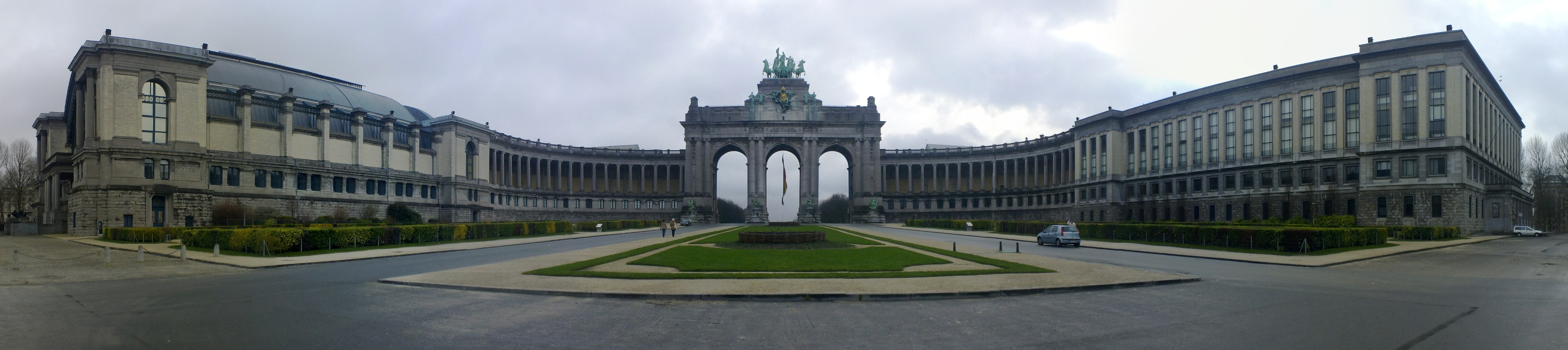
The next picture is from Brussels when I visited the FOSDEM 2013. It was taken in Jubelpark.

brussels-scaled

Last but not least, this picture shows the view from the balcony of our new flat on a sunny winter day.

balcony_winter_sunny-scaled

Posted in Misc. | Tagged , | Leave a comment

Q To-Do: Now with synchronization and more

During the past weeks, I put a little effort in further improving my to-do list app: Q To-Do. In this post, I announce the new and improved version 0.11.6 of Q To-Do.

This version offers new features like synchronization of different instances, a re-worked UI, and bug fixes. Q To-Do is now available for Nokia N9 (MeeGo/Harmattan), Nemomobile, PlasmaActive, and Desktops (Linux, Windows). The main features of this Q To-Do version are:

  • Simple and Easy to Use User Interface
  • Available for Smartphones (N9, Nemomobile), Tablets (Plasma Active), and Desktops (Linux, Windows)
  • Synchronization between Different Installations, e.g., Smartphone and Desktop (Requires an e-mail account with IMAP support.)
  • Support for Touch Screens and “Normal” Mouse/Keyboard Control
  • Intuitive Swipe Gestures in all Versions
  • Simple Sketches
  • Nested To-Dos
  • Progress Bar
  • Indicator for Nesting Level
  • Keyboard Shortcuts for Desktop Version
  • Batch Delete of Done Items
  • Different Colors for To-Dos
  • System Tray Icon (Desktop Version)

Below are some screenshots of the N9 version:

This slideshow requires JavaScript.

You can get the N9 version from the Nokia Store. For more information plus download links for the desktop versions see the Q To-Do homepage.

Versions for SailfishOS and BlackBerry 10 are in preparation.

Posted in Announcements, My Applications, Q To-Do | Tagged , , , , , | Leave a comment

Preview: Q To-Do on Sailfish

Q To-Do is my to-do list application. In this post I show some screenshots of the current state of Q To-Do on Sailfish OS.

Porting an existing QML application to Sailfish is actually very straight forward. Very much of the Q To-Do UI already works as expected. The reason why I didn’t make even more progress is simply that I couldn’t invest that much time as I was very busy with other things. In this post just gives a brief preview of the work in progress.

I like the look and feel of the Sailfish UI very much. So far, there is just the SDK and the Emulator but I think the current state already looks very promising. I am very much looking forward to test Q To-Do and my other applications on a real device. 🙂

Posted in Q To-Do | Tagged , , , , , | Leave a comment

test2junit: Bugfix

Due to an embarrassing error in test2junit I had to quickly release another version. The current version 1.0.1 fixes the problem and is available from clojars.org. The readme at github had been updated as well.

Posted in Announcements, Libs., Other Software, test2junit | Tagged , , , | Leave a comment

test2junit: Leiningen Plug-in for Writing Test Results in JUnit XML Format

I like test-driven development very much. Over time the number of test cases grows and grows. As one consequence, it may become difficult to keep the overview of the results.

As a simple mean to get an overview of my test results I use the HTML pages as generated by the junitreport Ant task. This is IDE independent and works very well for Java projects. However, for Clojure, I didn’t find anything comparable yet, at least not for the standard Clojure unit testing framework in clojure.test.

With clojure.test, there is the option to emit output in some sort of JUnit format. Yet, I found that it cannot be used with junitreport as-is and it lacks some, in my opinion important, information (like timestamps or the duration of tests). Furthermore, I wanted to have some automatism for comfortably generating the HTML formatted test results.

After some digging around, I eventually decided to write my first Leiningen plug-in: test2junit. test2junit automatically generates test results in an “improved” (as compared to standard clojure.test.junit way) JUnit XML format without the need to modify the existing test cases. It optionally executes Ant in order to create the final HTML report.

test2junit is hosted at github: https://github.com/ruedigergad/test2junit You can also get the current version from clojars.org. An exemplary output of an HTML test report generated from XML files emitted by test2junit can be seen here: http://ruedigergad.github.com/clj-assorted-utils/test-results/html/

PS: Great thanks to technomancy in #leiningen @freenode who helped me a lot by pointing me into the right direction for solving some “advanced” Leiningen plug-in challenges.

Posted in Announcements, Libs., Other Software, test2junit | Tagged , , , , , | Leave a comment

Jabber/XMPP with latest Plasma Active on Nexus 7

With the latest Plasma Active rootfs tarball for Nexus 7 there is also working Jabber/XMPP. I didn’t notice this at first as the system time was set two years in the past and due to this the certificate for the Jabber server was silently failing. 😉

Essentially, instant messaging functionality is provided via telepathy. This way different IM protocols (like Jabber/XMPP or ICQ) can be used. Right now there is “just” support for Jabber/XMPP working in the current Plasma Active version.

The tools/apps used for getting everything to work are the apps from Nemomobile: accounts-ui and qmlmessages (“Messages” in apps view). Both come pre-installed with the latest Plasma Active Nexus 7 rootfs tarball.

I set up Jabber/XMPP as follows:

  1. Open the “accounts-ui” app.
  2. Add a new XMPP account (first field is username@jabber-server.com, second field is the password).
  3. Click the newly created account.
  4. In the menu chose first “Enable” and afterwards “Request Online”.
  5. Refresh. You should see your presence (in the field “Current:”) change to “available”.

Make sure that your system time is set properly and that your jabber-server has a valid SSL certificate. Self-signed certificates (e.g., as is the case for jabber.org) won’t work. Also note that you won’t get feedback if something with the certificate is wrong. It will simply appear to be stuck in changing your presence.

To chat open the qmlmessages (“Messages” in apps view) app and start a chat with someone. The “To:” name is your-buddies-username@your-buddies-jabber-server.org.

Posted in Announcements | Tagged , , , , , , | 2 Comments