QZeeControl 2: Zeemote JS1 Bluetooth Protocol Implementation in Qt5

The Zeemote JS1 is a small bluetooth joystick remote control. In the past, I already created some apps that allow the usage of the Zeemote JS1, like QZeeControl (for Harmattan/MeeGo on the N9 and N950) and Zeecontrol (for Fremantle on the N900). In this post, I write about QZeeControl 2 which is a Qt5 port/re-write of QZeeControl.

Below are a screenshot and a video of QZeeControl 2 in action:

qzeecontrol2_screenshot

The dark gray area with the red square is used for testing the movement in general. The blue letter “A” to “D” indicate the four buttons on the remote control. The four blue text labels “Up” to “Right” indicate the triggering of the “digital joystick emulation” in QZeeControl 2. This emulation, in a nutshell, triggers a key press of a configurable key-code when certain threshold values are exceeded respectively underrun for the corresponding analog joystick axes. Additionally, as can be seen in the video, it is possible to control the mouse with the joystick remote control.

Generally, QZeeControl 2 supports an arbitrary number of remote controls and has configurable key-codes. However, as the current state is a very early prototype, there is no key-code configuration UI yet. At the time of writing, some configuration options can only be set via configuration text files.

The QZeeControl 2 source code can be found at github. I will also upload a tarball with a readily built version. The build will be for Fedora 20.

One of the problems that I encountered while writing QZeeControl 2 in Qt5 was that Bluetooth on Linux in Qt5 is currently only officially supported in combination with Bluez 4. See also another discussions about this topic. Generally, the Bluez API seems to be a source of some confusion.

Fortunately, it seems that the RFCOMM API which is used in QZeeControl for receiving data from the remote control works as-is with Qt5 and Bluez 4 as well as Bluez 5. The only part that had to be taken care of for getting QZeeControl 2 working with Qt5 and Bluez 5 was to re-implement the scanning/discovery part of the app using the new Bluez 5 DBUS API.

In the previous implementations, Xtst was used for interacting with the UI, like triggering key-presses etc. Perspectively, the plan is to port QZeeControl 2 to SailfishOS/Nemomobile as well. As these OS use Wayland, using Xtst is not an option anymore. Thus, in QZeeControl 2, uinput is used instead. Via uinput, QZeeControl, in a nutshell, behaves like a real joystick input device in the system and thus can be used accordingly.
Posted in Announcements, My Applications, QZeeControl | Tagged , , , , , | 1 Comment

Pebble Protocol Implementation in QML and SkippingStones UI for #SailfishOS

This is somewhat an announcement as well as a call for participation. Some time ago, I treated myself to a Pebble smart watch. As my primary phone is a Jolla smart phone, apparently, the next “logical” step was to get both, Pebble and Jolla, work together.

Thereby, I had two aims. Firstly, the implementation of the Pebble protocol should be in “as pure as possible” plain QML. Secondly, of course, I wanted to have at least basic interaction with my smart phone like getting notifications about calls and SMS or controlling the music player.

I put the emphasis on plain QML for the protocol implementation for two reasons. On the one hand, plain QML, due to its interpreted nature, enables pretty quick hack and test cycles. On the other hand, plain QML also promises to be quite platform independent, as in, “Runs on all platforms supported by Qt.”.

I used the very helpful libpebble Python implementation of the protocol as reference. Thanks to libpebble the protocol implementation was actually very much straight forward.

The current result of my experiments is “SkippingStones”. SkippingStones consists of a “backend”, i.e., the Pebble protocol implementation and a “frontend”, that is currently only available for SailfishOS and provides the connection to the platform dependent interfaces such as DBUS as well as a user interface.

SkippingStones is still in a very strong work-in-progress state. However, basic functionality like controlling the music player and getting notifications already works. I even succeeded in uploading watchfaces to my Pebbe via SkippingStones. SkippingStones is released under the same license terms as libpebble and is hosted on github: https://github.com/ruedigergad/SkippingStones I uploaded an .rpm of the current state as well: https://github.com/ruedigergad/SkippingStones/raw/master/dist/harbour-skippingstones-0.1-1.armv7hl.rpm In order to use the media player control, you need to also apply another patch to the installed media player QML files (in “/usr/lib/qt5/qml/com/jolla/mediaplayer/AudioPlayer.qml”): https://github.com/ruedigergad/SkippingStones/blob/master/audioplayer_dbus.patch (See also: https://together.jolla.com/question/313/add-dbus-interface-to-stock-music-player/).

Please be aware that this is not an “end-user-ready” product right now. The UI as well as possibly many other parts are still pretty much unfinished and in a rough state. So please don’t be disappointed if there are many things that still need to be improved or if things fail. Generally, you use SkippingStones on your own responsibility.

All participation/help for further improving SkippingStones is highly appreciated. There are many places that need some love, in the backend as well as in the frontend. Furthermore, so far there is only a SailfishOS based UI while it might be worthwhile to support more platforms as well.

PS: Just to clarify, some parts of the backend are implemented in Qt/C++. However, I tried to limit the amount of Qt/C++. The only parts written in Qt/C++ are simple adapters to allow the usage of Bluetooth and QByteArray in QML. These parts are also written without any platform dependent APIs. Thus, in general, SkippingStones should work on all platforms for which Qt5 is available.

Furthermore, backporting SkippingStones to Qt4 should also be possible without much effort. I didn’t try it myself, but, off the top of my head, it might even suffice to adjust the version of the QtQuick import in the QML part.

Posted in Announcements, Libs., My Applications, SkippingStones | Tagged , , , , , , | Leave a comment

StultitiaSimplex for #SailfishOS is in Harbour.

Finally, my first app reached the Jolla Harbour. This is actually a rather small “toy” app of mine but nonetheless, that’s my first app in Harbour.

StultitiaSimplex is a simple sound recorder and sound player. It is intended as a sort of “sound board” like application; i.e., the primary use case I had in mind when writing it was to capture short snippets of audio and to have these quickly at hand for playback.

You can find a little more information about StultitiaSimplex, including an FAQ explaining the name ;), on the original homepage: http://stultitiasimple.sourceforge.net Unfortunately, that page is fairly outdated. Right now, the code is hosted at github and hopefully I’ll find a little time to create a proper new web page.

The general usage on SailfishOS is as follows:

  1. Use the pull-down menu and chose “Record Sound”.
  2. Enter a name and press “Record”.
  3. Once you are satisfied with the recording click “Stop”.
  4. Close the recording view.
  5. Choose “Add Sound” from the pull-down menu and fill all fields.
  6. Swipe “accept” to add the new file.
  7. Double-click the file to play it back or long-press on it for more options.

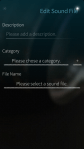
You can assign two sounds to the cover actions for quicker access. Please note that you have to assign both options for this to work. Currently, when assigning just a single cover action, the playback won’t work.

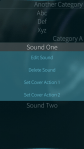
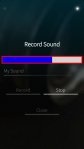
Below are some screenshots:


Posted in Uncategorized | Leave a comment

Plasma Active 4: New Rootfs Tarballs for ArchosG9 and Nexus7

It has been quite a while since I uploaded the last rootfs tarballs of Plasma Active 4 for ArchosG9 and Nexus7. Now, I just used the holidays to generate and upload new ones.

In the meantime, the unpleasant bug with respect to the network manager applet was fixed. So, these new rootfs tarballs provide a fully working network management applet out of the box. In fact, all applets in the top bar seem to work properly now. Great thanks to whoever finally fixed that issue. 🙂 PS: I just learned that this was fixed by Marco Martin aka notmart. Thanks a lot again, this bug was a really annoying one. 🙂

You can get the tarballs, as usual, from http://files.kde.org/plasma/active/4.0/. For installation instructions see one of my older posts.

Please note that I only briefly tested the Nexus7 version. The ArchosG9 version is provided untested in the hope that it works. I hope you enjoy these new versions. Great thanks to the Plasma Active development team. 🙂

Posted in Announcements, Misc. | Tagged , , , | 13 Comments

New #SailfishOS Apps for #Jolla – MeePasswords, Q To-Do, Emumaster

This is a brief, combined announcement. Two of my own apps, MeePasswords and Q To-Do, as well as another app, Emumaster, I had been porting a bit are available for SailfishOS/Jolla.

I actually want to publish MeePasswords and Q To-Do via Harbour. Both are also already submitted. However, as long as those are not approved you can get these from the following locations: http://ruedigergad.github.io/meepasswords/dist/harbour-meepasswords-2.1.1-1.armv7hl.rpm and https://github.com/ruedigergad/qtodo/raw/master/dist/harbour-qtodo-1.12.2-1.armv7hl.rpm

Emumaster was originally written by elemental. Great thanks for this nice app elemental, by the way. I only contributed some patches that allow building and running Emumaster on Mer-based platforms and lately also did some Qt5 and Sailfish porting as well. I consider the EmuMaster port as a work-in-progress and everyone is invited to join the porting effort.

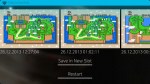
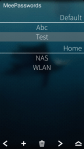
For more information and discussion, I opened threads at talk.maemo.org for MeePasswords, Q To-Do, and Emumaster. Below, I added some screenshots of those apps as well. I hope you like the apps. Feedback is always appreciated.

MeePasswords:

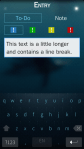
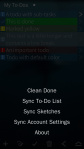
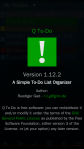
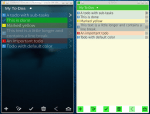
Q To-Do:

Emumaster:

Posted in Announcements, MeePasswords, My Applications, Other Software, Q To-Do | Tagged , , , , , , , , | 1 Comment

Panoramic Photographies of Cádiz, Spain

Here are some more panoramic photographies from Cádiz, Spain. The photos were taken last week during a stay in Cádiz with my trusted N9 cell phone and were stitched with Hugin. From the technical point of view, I think, it is pretty amazing what Hugin can achieve out of the box; I primarily used the default automatic picture alignment. From the aesthetic point of view, in my opinion, the historic part of Cádiz is a truly beautiful city. Needless to say that I really love to be in Cádiz.

The first picture shows a view on La Caleta taken from Castillo de Santa Catalina.

santa_catalina_la_caleta_1_scaled

The next picture also shows La Caleta beach but this time seen from Castillo de San Sebastian.

la_caleta_san_sebastian_1_scaled

The next two photos were taken from the top of Torre Tavira. The first shows the view to south-east, south, west to north; you can see places like the cathedral, the post office, the market place, Castillo de San Sebastian, or Plaza San Antonio. On both photos, Calle Sacramento can be nicely seen as straight street across the town.

torre_tavira_1_cut_2_scaled

The second photo shows the view in the directions south west, west, north, and east.

torre_tavira_2_cut_scaled

Both pictures had been cut in order to remove some small remaining stitching artefacts. I post the original images below.

torre_tavira_1_scaled

torre_tavira_2_scaled

Creative Commons License
This work is licensed under a Creative Commons Attribution-ShareAlike 3.0 Unported License.

Posted in Misc. | Tagged , , | Leave a comment

Continuous Integration for clj-assorted-utils and clj-net-pcap

This is just a very brief update. I actually did this some time ago but didn’t really get to write about it.

clj-assorted-utils and clj-net-pcap now make use of Travis CI. Integrating Travis CI was actually very easy. What I was surprised about most was that it is even easily possible to run unit tests that require libpcap and have to be run as root; those unit tests, essentially, make use of packet capturing and injection provided by libpcap and accessed via jNetPcap. Great thanks to the guys from Travis CI for that really nice and easy to use tool. 🙂

You can see the summary of the CI status in the respective github repositories: https://github.com/ruedigergad/clj-assorted-utils https://github.com/ruedigergad/clj-net-pcap

Right now, only the unit tests are run and the summarized results are shown on github. Things to do are to export the build results to some place where they can be downloaded and to export the detailed unit test results such that they can be accessed with a browser; right now, the detailed unit tests results that are linked in the repositories are only updated when I explicitly commit and push new results there.

While I was at it, I also added Travis CI integration for another project I am involved in: jnetpcapfacade.

Posted in Announcements, clj-assorted-utils, clj-net-pcap, Libs. | Tagged , , , , , , | Leave a comment

MeePasswords for #SailfishOS

I put a little work into getting MeePasswords run on SailfishOS. With the experience I got while porting Q To-Do I could do it much quicker this time. This is still a work in progress but I think the screenshots already look very good. What do you think? 🙂

So, while the basic application runs I still need to do some more tweaking but I am optimistic that things will turn out well soon.

Posted in Announcements, MeePasswords, My Applications | Tagged , , , , , | 5 Comments

Update: Q To-Do for #SailfishOS – Ready when you are. ;)

With a slight delay, I add more screenshots of the SailfishOS version of Q To-Do (See the other post for the older screenshots.).

Right now, everything should work. Some UI elements are also already adapted to the native Sailfish look and feel, like dialogs. There is still room for improvement and I also got some valuable feedback and suggestions like adding pully menus. I will also look into adding more native Sailfish UI elements like item menus or remorse items. However, as the basics work I am now focusing on getting MeePasswords running for SailfishOS first before going into more details. So, from my perspective: Q To-Do for SailfishOS is ready when you are. 🙂

Posted in Announcements, My Applications, Q To-Do | Tagged , , , , , | Leave a comment

Update: Q To-Do for #SailfishOS

Yesterday evening and today, I put a little more work into the SailfishOS version of Q To-Do. Personally, I am quite happy with the results so far. It still needs some more work but I’m optimistic that when I finally get the long anticipated Jolla phone, Q To-Do will be ready as well. 🙂 I uploaded some screenshots of the current state as well as a picture comparing the Sailfish and desktop versions. Comments and suggestions are always appreciated.

Posted in Announcements, My Applications, Q To-Do | Tagged , , , , , | 7 Comments