New Rootfs Tarball of Plasma Active for Nexus 7

I uploaded a new rootfs tarball of Plasma Active for Nexus 7. You can get it from here: http://files.kde.org/plasma/active/3.0/images/nexus7/ The latest version is “plasma-active-nexus7-testing-mer-latest-2013-03-12.tar.gz“. There you can also get the according .ks files.

Some changes are:

  • Integrated nemo-compatibility (You can directly install Nemo apps via zypper and run those.). Please note that for some Nemo apps the icons are not shown correctly.
  • Some pre-installed Nemo apps like: Twimgo (Twitter client), Kasvopus (Facebook client), Q ToDo (todo list app), MeePasswords (password manager).
  • Firmware Installer for Bluetooth (You need to install the “nexus7-fw-installer” package and run “/usr/sbin/nexus7-fw-install” and follow the instructions.)
  • Fix for the Rendering Issue in the App Switcher
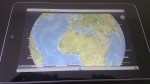
  • Use the touch version of Marble.

Below are the steps I used for installing and testing this new rootfs tarball. Please note that you are doing everything on your own risk and responsibility and that you will loose the warranty for your Nexus 7 by doing this.

# Prerequisite is that you downloaded and extrated the Nexus 7 MOSLO and changed to the directory in which the MOSLO zImage and initrd are located.
# Start the Nexus 7 with the volume down button pressed.
# When "Start" is shown, attach the Nexus 7 to your computer via USB.

fastboot -c "console=tty1" boot zImage-moslo initrd-moslo

# Wait until the MOSLO has booted and the userdata partition was exported.
# You can check the dmesg output on your computer to see if a new USB device showed up.

mkfs.ext4 /dev/sdX
# Change /dev/sdX as required.

# I assume that you already have a directory /mnt/foo.
mount /dev/sdb /mnt/foo/

tar xf /plasma-active-nexus7-testing-mer-latest-2013-03-12.tar.gz -C /mnt/foo/
cp /mnt/foo/boot/zImage /tmp/
sync
umount /mnt/foo

# Reboot to the loader with the "Start" screen by keeping the powerbutton and volume down button pressed.

fastboot -c "ro console=tty1 rootwait rootfstype=ext4 root=/dev/mmcblk0p9" flash:raw boot /tmp/zImage
# For the 3G model change /dev/mmcblk0p9 to /dev/mmcblk0p10

# Detach USB and start.
Posted in Announcements, Snippets | Tagged , , , , , | 14 Comments

clj-assorted-utils Updated

On Sunday, I uploaded a new version of clj-assorted-utils to github. This version features an improved counter and a convenience function for processing input line-by-line.

Another great news, imho, is that now there is autogenerated API documentation. You can get the documentation either by cloning the project from github or use it online at: http://ruedigergad.github.com/clj-assorted-utils/

Also, great thanks to Dominic who showed how to publish a subdirectory as gh-pages. 🙂 http://happygiraffe.net/blog/2009/07/04/publishing-a-subdirectory-to-github-pages/

Posted in Announcements, clj-assorted-utils, Libs. | Tagged , | 2 Comments

Note to Self: Debugging Telepathy

Just a short note to myself: I found the following snippets useful when debugging telepathy.

# When debugging via SSH prepend with: DISPLAY=:0
# All run as user.
# First step: see what's going on on dbus.
dbus-monitor
# Debug gabble (jabber/XMPP).
# GABBLE_LOGFILE should be optional.
GABBLE_LOGFILE=/tmp/gabble.log GABBLE_PERSIST=1 GABBLE_DEBUG=all G_MESSAGES_DEBUG=all /usr/libexec/telepathy-gabble
# Debug mission control.
G_MESSAGES_DEBUG=all MC_DEBUG=1 MC_TP_DEBUG=all /usr/libexec/mission-control-5
Posted in Snippets | Tagged , | Leave a comment

Plasma Active – Archos G9 armv7hl Rootfs Tarballs

In a previous post I briefly wrote about the current progress on getting an armv7hl build of Plasma Active on Archos G9 working. In the meantime I even (somehow) got the time to build and upload up-to-date rootfs tarballs for the testing and devel branch. You can get these tarballs from: http://files.kde.org/plasma/active/3.0/images/archos-g9/armv7hl/

Posted in Announcements | Tagged , , , | 3 Comments

Video: Plasma Active on Nexus 7

I just uploaded a video that shows the current state of Plasma Active on Nexus 7. In this video different things are shown:

  • The Plasma Active GUI
  • Hardware-accelerated Video Playback (1080p)
  • Emumaster (an emulator for gaming consoles like SNES etc.)
  • Bluetooth support (with an Zeemote remote control)
  • Remote control with QZeeControl and an Zeemote remote control
  • 3D Hardware Acceleration

Given the native resolution of the Nexus 7, using a video with 1080p admittedly is pointless. However, I wanted to demonstrate that the hardware is capable of playing even 1080p pretty smoothly.

Posted in Announcements | Tagged , , , , | 17 Comments

Plasma Active on Nexus 7 with Bluetooth

I just succeeded in getting Bluetooth working on Nexus 7 with Plasma Active. In order to get Bluetooth running you need the latest kernel from the hardware adaptation repository and install the new “nexus7-fw-installer” package, which can also be found in the Nexus 7 hardware adaptation repository. In case you are using a permanently flashed kernel please make sure to also flash the new zImage.

After the “nexus7-fw-installer” package was installed you will need to run “nexus7-fw-install” as root. This will download the required proprietary firmware bits and will help you during the installation. Please note that you need to accept (and of course read beforehand) the displayed license in order to install the firmware. For more information follow the displayed instructions.

Also thanks to the Ubuntu guys who provided great information on how to get Bluetooth running on Nexus 7.

Edit: After the installation has finished you should reboot once to get everything working.

Posted in Announcements, Snippets | Tagged , , , | 16 Comments

Suspend/Resume in Plasma Active on Nexus 7 3G with WWAN

In a previous post I wrote about using WWAN (UMTS/3G) in Plasma Active on Nexus 7. What I forgot to mention there was that there may be problems with suspend/resume when using UMTS. In order to circumvent these issues I created a systemd suspend script that takes care of turning the WWAN device on and off on resume/suspend. Simply place the executable script in “/lib/systemd/system-sleep/wwan-fix.sh”:

#!/bin/sh
case $1/$2 in
pre/*)
echo 0 > /sys/devices/platform/baseband_xmm_power/xmm_onoff
;;
post/*)
echo 1 > /sys/devices/platform/baseband_xmm_power/xmm_onoff
;;
esac
Posted in Snippets | Tagged , , , | Leave a comment

clj-net-pcap 1.0.6 released

I just uploaded a new version of clj-net-pcap. This version re-adds native libs for Linux i386 and fixes some issues in jNetPcap with respect to formatting IPv6 addresses.

Jars are available from clojars: https://clojars.org/clj-net-pcap https://clojars.org/jnetpcap Alternatively you can get the jars as well as the source code from my github repository: https://github.com/ruedigergad/clj-net-pcap There you also find the jNetPcap specific patches. The patches are released under the LGPLv3 (as is jNetPcap).

Posted in clj-net-pcap | Tagged , , , | Leave a comment

Plasma Active for Archos G9 armv7hl

I had this lurking on my local disk and in my repositories on cobs @ meego.com far too long. Up to now, Plasma Active for Archos G9 had only been available as armv7l (soft float).

Some time ago I was trying to update the accelerated pvr graphics drivers for Plasma Active on Archos G9. While I didn’t really succeed with that attempt, one, imho nice, result is an armv7hl (hard float) version of Plasma Active for Archos G9.

You can get a .ks file for creating a Plasma Active armv7hl rootfs tarball for Archos G9 from here. I hope some will find this useful and that there are people out there who still use their trusted Archos G9 and run Plasma Active. 😉

PS: Thanks to dm8tbr: I took our discussion at FOSDEM as motivation to upload this.

Posted in Announcements, Misc. | Tagged , , , | 7 Comments

Plasma Active on Nexus 7 with 3G/UMTS

Finally, success in getting 3G in Plasma Active on Nexus 7 to work. 😀 I uploaded a patched version of ModemManager to the Nexus 7 hardware-adaptation repository. So far, it seems to work pretty reliable.

Please note that I disabled the pin on my sim card. I don’t know if this is necessary but it was at least one point less I had to worry about. You can find instructions on how to disable the pin here (I got these instructions from this web site.).

For those of you who like a little bit more detailed information: the trick is to replace the dial command “ATD…” with “AT+CGDATA=\”PPP\””. You can find the patch in the patched ModemManager package in the Nexus 7 hardware-adaptation project.

Posted in Announcements, Snippets | Tagged , , , , | 2 Comments